
AI-powered form optimisation.
No developers.
No sprints.
Just conversions.
Autofixes automatically detects and fixes technical form friction — wrong keyboard types, broken autofill, missing labels, and more — and deploys the fix instantly. No code. No dev tickets. Just more conversions.



Trusted by leading automotive & e-commerce brands














Eureka detects it. Autofixes deploys it.
You stay in control.
Eureka, Exatom's AI CRO consultant, continuously scans your web forms for technical friction and proposes precise, one-click fixes — giving you full visibility and approval before anything changes.
Detect form friction automatically
Eureka continuously monitors all your web forms and identifies technical conversion killers: wrong keyboard types, missing placeholders, broken autofill, input mismatches, and more.
AI-generated fix proposals
Eureka recommends the precise autofix, explains the expected conversion impact, and requests your one-click approval — no technical knowledge or developer involvement required.
Deploy fixes in seconds — no code
Once you approve, the fix goes live instantly via Exatom's client-side script. No code deployment, no developer tickets, no sprint planning — just measurable results.
Measure conversion impact in real time
Track exactly how each autofix affects form conversion rate, field completion, and user drop-off in the Exatom analytics dashboard.
From friction insight to live fix — in minutes, not sprints
Zero developer involvement
Every fix is deployed client-side by Exatom's lightweight script — your development team never touches a line of code.
Cookieless and ISO 27001 certified
Autofixes is privacy-first by design: no cookies, no personal data collection, and fully ISO 27001 certified.
Works on any CMS or platform
Whether your forms run on WordPress, Salesforce, HubSpot, or a fully custom stack — Autofixes activates with a single JavaScript tag.
Human-in-the-loop by design
Every fix is proposed before it goes live. Review, approve, or dismiss any correction from your Exatom dashboard — full control at all times.
Every form friction type — automatically detected and fixed
Autofixes targets the most common — and most costly — technical barriers that stop users from completing your forms.
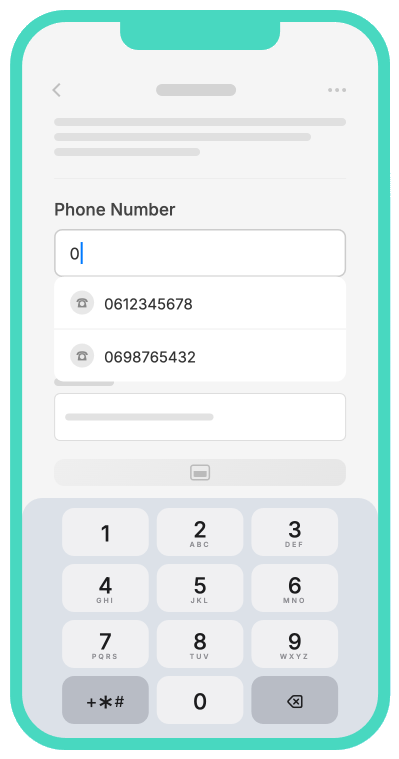
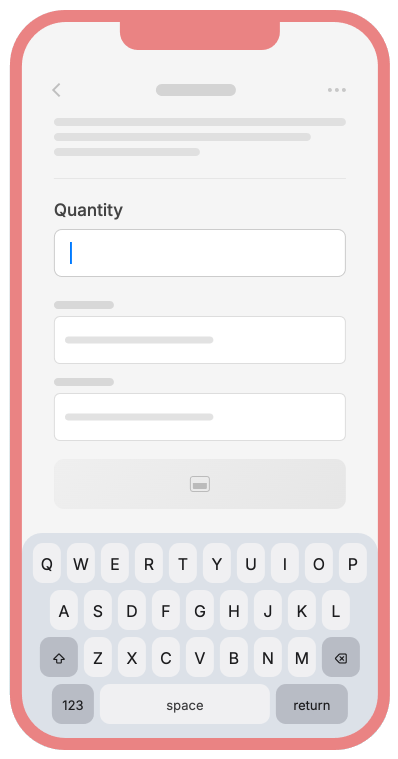
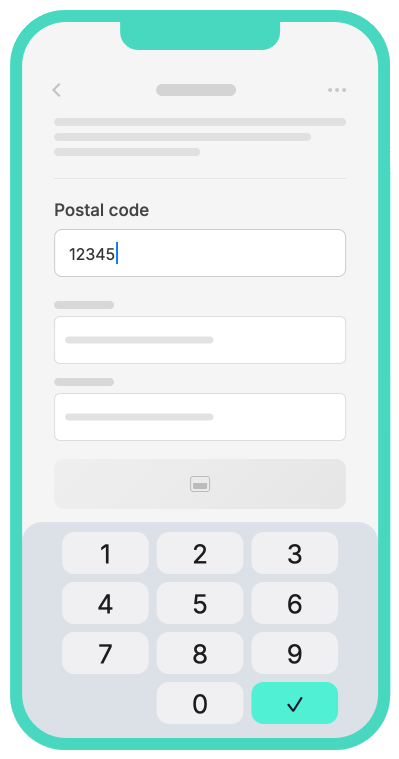
Wrong mobile keyboard type
QWERTY displayed on phone or ZIP code fields slows mobile users and increases drop-off
Missing input placeholders
Fields with no format hint increase hesitation and user errors
Broken browser autofill
Autofill fields not mapped correctly force users to re-enter data manually
Autocomplete disabled
Turning off autocomplete forces users to type every field manually
Input type mismatch
Using text fields for emails, phone numbers, or dates triggers validation errors
Incorrect field tab order
Broken keyboard navigation confuses power users and reduces form completion
Missing field labels
Unlabelled inputs break accessibility standards and increase user hesitation
Vague or missing error messages
Generic errors like "invalid input" leave users unable to correct their mistakes
Everything you need to know about Autofixes
Can't find the answer? Talk to our team — we're happy to help.